
 Greetings friends, Veeam has released a private beta of Veeam Backup for Microsoft Office 365 v6, I had the clearance resolved with the product management team, in order to publish a few great new functionalities that are coming soon.
Disclaimer: The screenshots and functionality might differ from the final product when it reaches GA, take the opportunity to read what’s coming but bear in mind things might change.
Wanna see it in action? Please visit the veeamclick.be where you can actually go through the installation and more, thanks to Stijn Marivoet.
NEW Redesigned Installation wizard
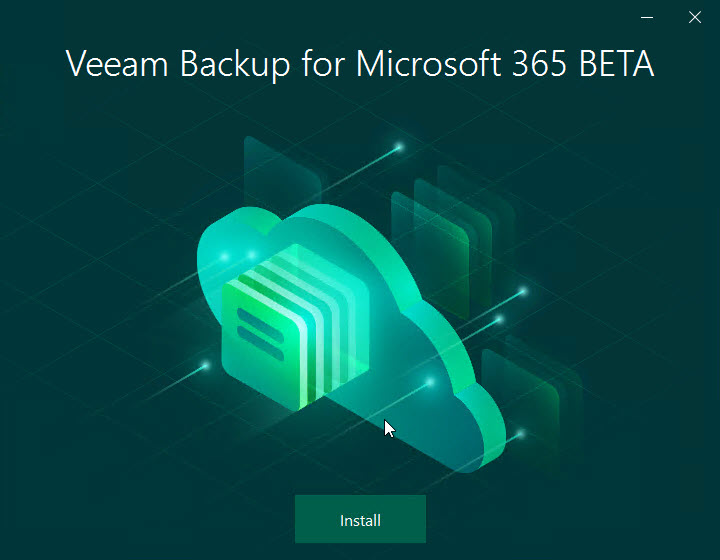
Let’s start with something that you will notice right away, I am talking about a complete redesign of the installation wizard, instead of the usual, and ugly, .Net installer with next, next, we have an actual beautiful splash that guides us through the simple process of installing VBO:
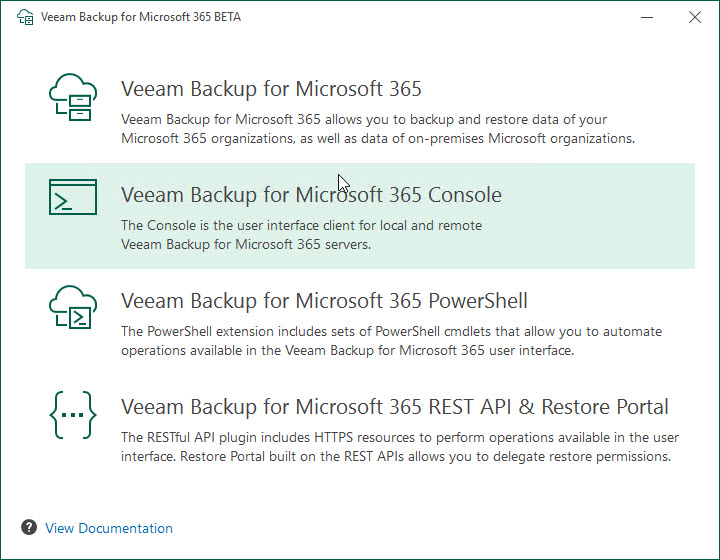
 I especially love this section where I can select the components to install, I know that you are seeing the last one and thinking, wait a minute, is that an entire service itself? And the answer is yes, well RESTful API was before its own service as well, but now it makes more sense to try to split it up if you will have thousands of users doing self-service, more on the next highlighted feature:
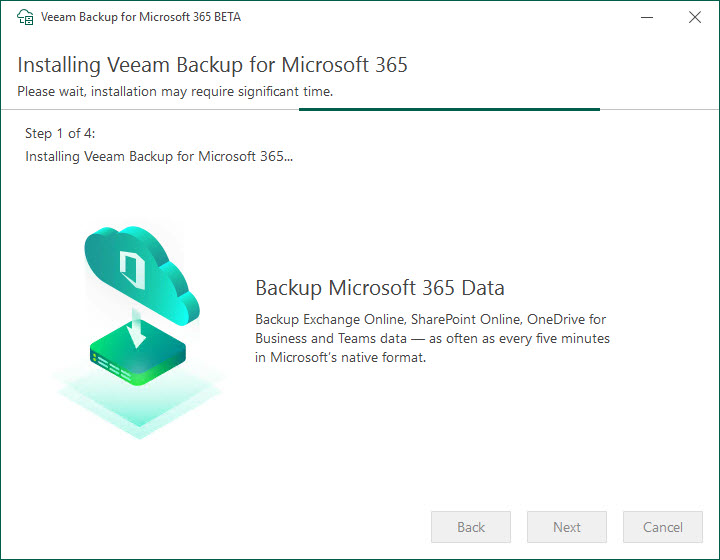
 As I’ve said, once we select the components, the wizard will show us on which part of the installation we are, there just four simple steps that will happen automatically:
NEW Restore Portal – Self-Service that allows users, or restore operators, perform restores
Allow me to introduce you to the jewel in the crown, the Restore Portal. Basically, a really simple, easy-to-consume HTML5 Restore portal that allows users or restore operators to perform quick restores back to the item source.
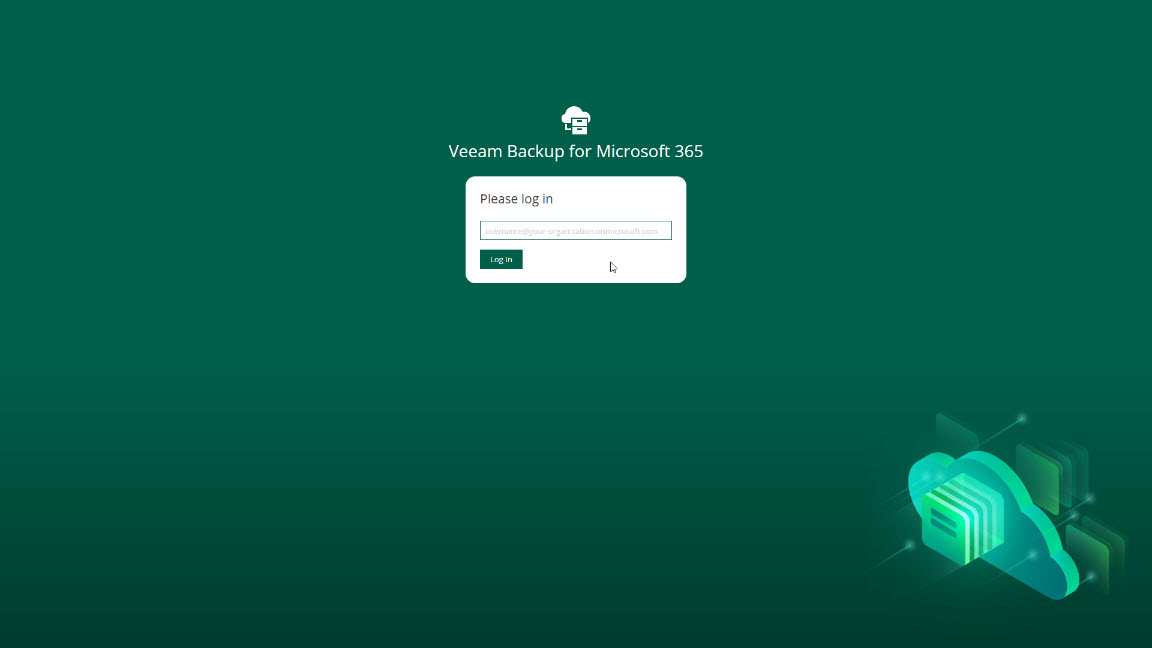 The Self-Service Portal is extremely intuitive to use, and there is not much explanation required, select the items, click restore, that’s it:

How does the Topology look like for a big environment using Restore Portal?
As far as I understand seeing the technology working, and based on my own personal opinion, I think the components are meant to be distributed like this in order to scale out the design. (Please note I have not added Repositories or Proxies to this diagram, it is just for Self-Service Portal)
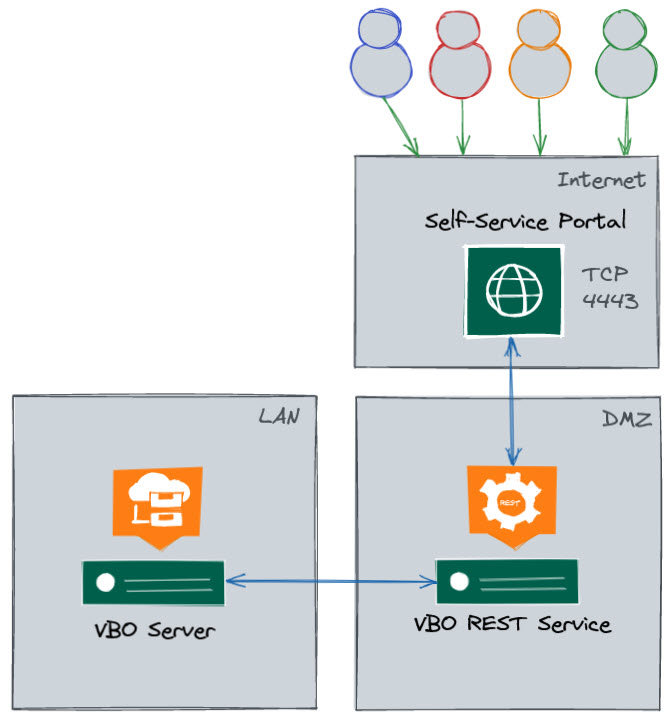 Another interesting point to discuss, not on this post but when the Release Notes become available, is how the users, or restore operators authenticate to it, as it does use their native Microsoft Office 365 auth, if MFA was enabled then it does ask for it, etc. I have seen a nice auth flow on the Release Notes but will wait a bit, it is really nice.
How-to Enable Restore Portal
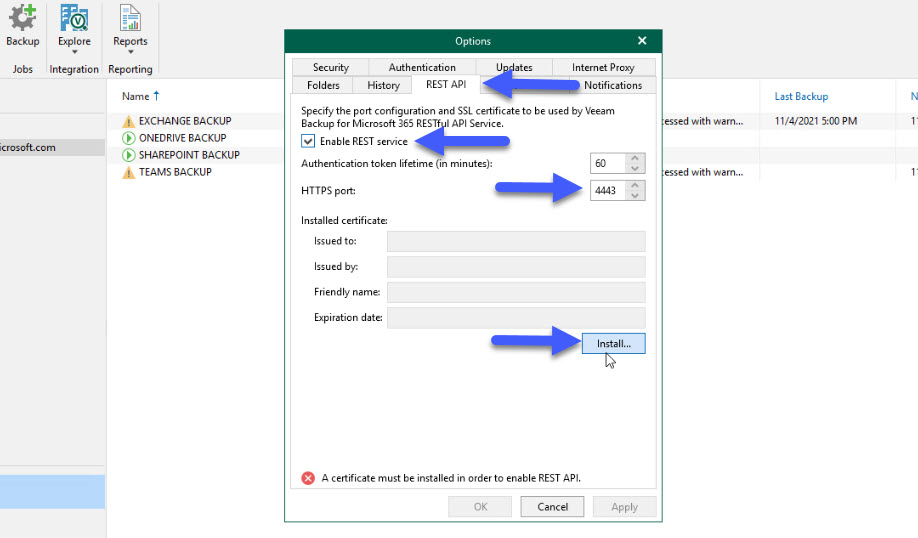
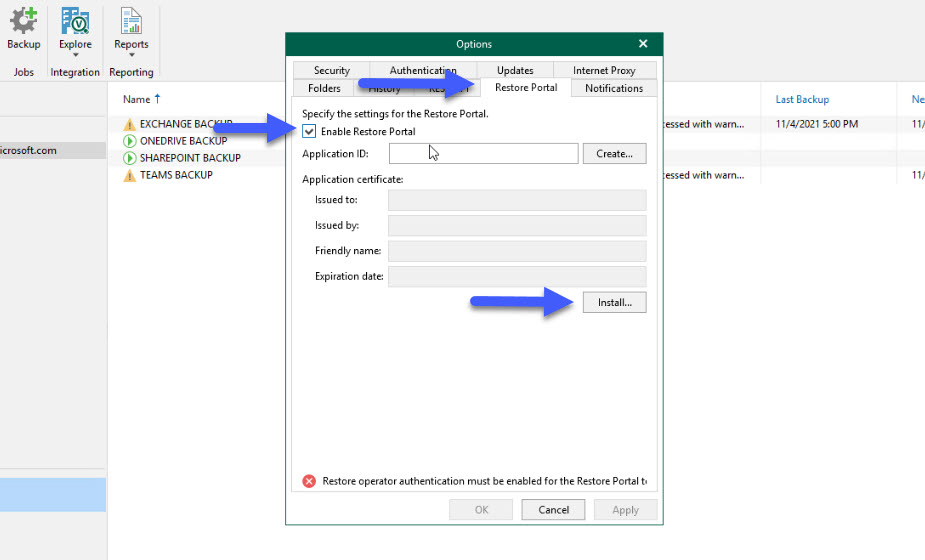
Enable the new Restore Portal takes a few seconds, although, at the time of writing this, on beta, it needs to be in a particular order, everything needs to be done from the Options menu:
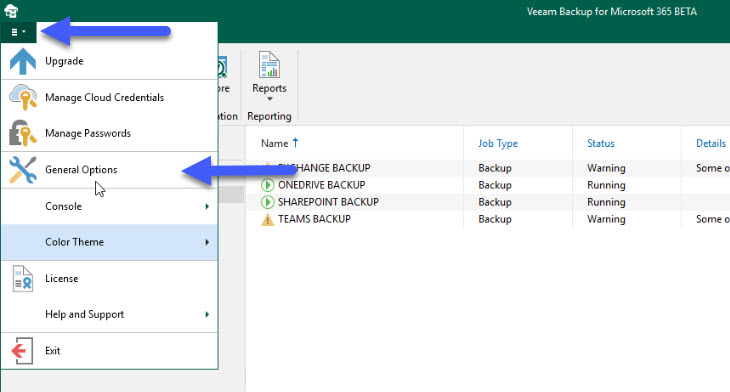
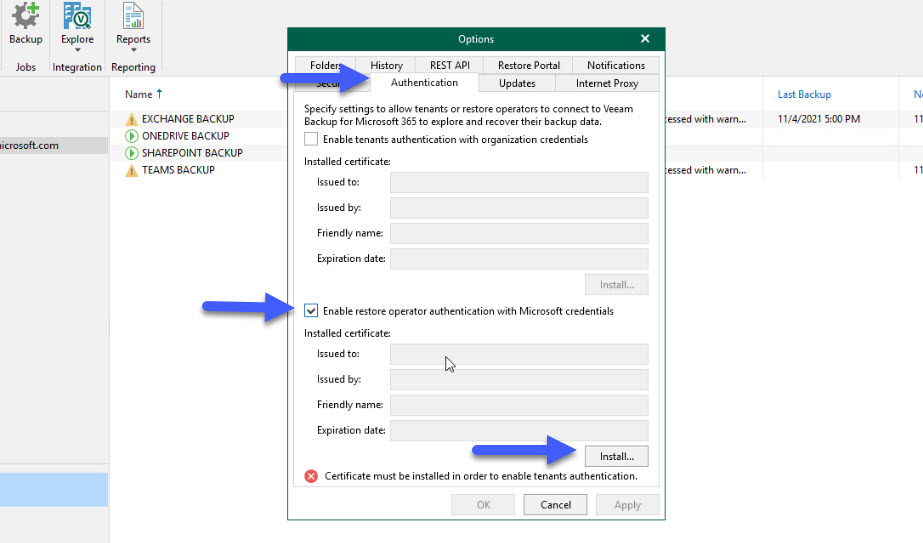
- General Options – Authentication – Enable Restore Operator Authentication with Microsoft credentials + click Install on the SSL and produce a self signed
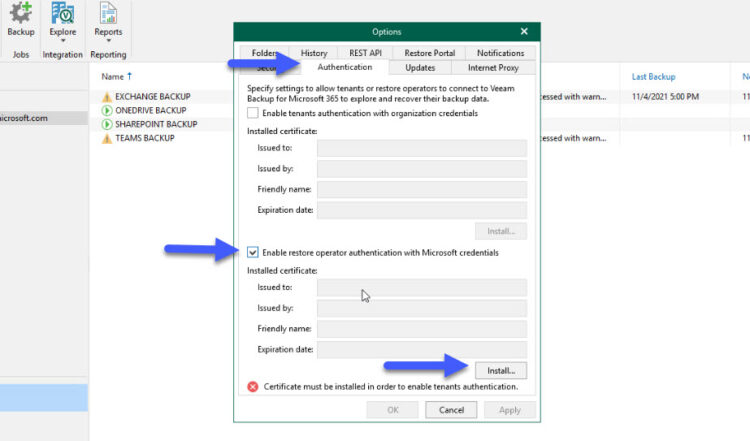
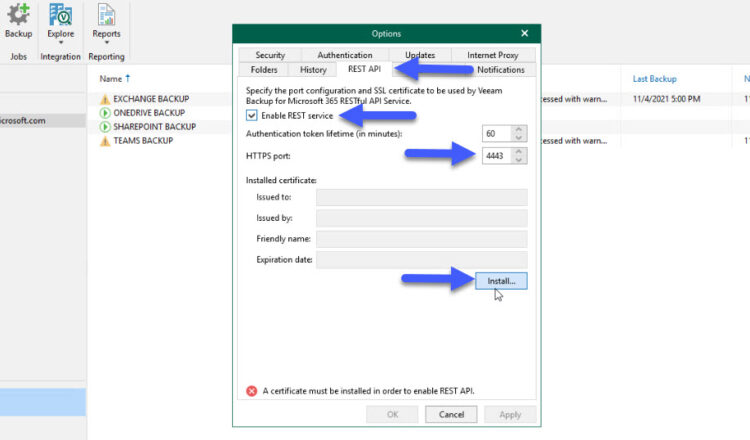
- Options – REST API – Enable REST service + click Install on the SSL and produce a self signed
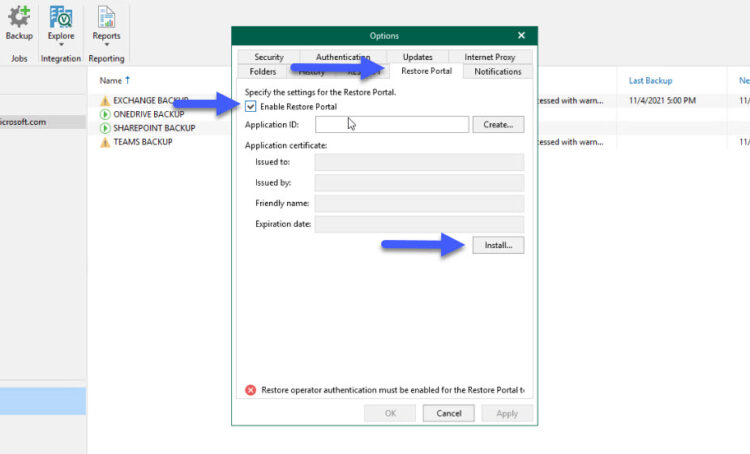
- Options – Restore Portal – Enable Restore Portal + click Install on the SSL and produce a self-signed
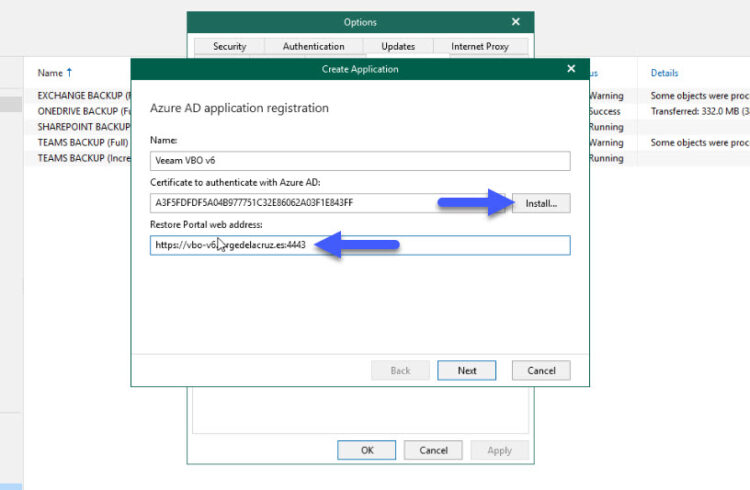
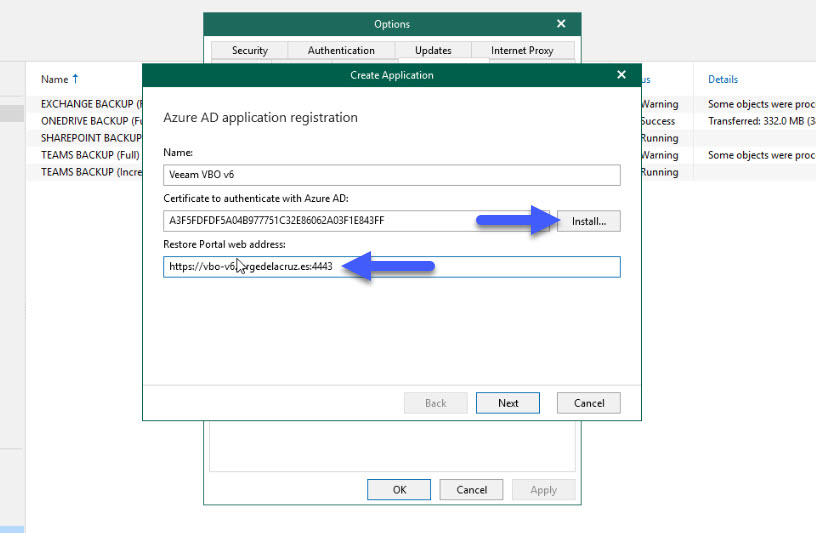
- On the same tab, now Create Application, Name whatever you like + click Install on the SSL and produce a self signed + Restore Portal web address, which I recommend to be https://yourvbofqdn:4443
Role-based access control on Veeam Backup for Microsoft Office 365 v6
According to Wikipedia:
In computer systems security, role-based access control (RBAC)[1][2] or role-based security[3] is an approach to restricting system access to authorized users. It is an approach to implement mandatory access control (MAC) or discretionary access control (DAC).
Role-based access control (RBAC) is a policy-neutral access-control mechanism defined around roles and privileges. The components of RBAC such as role-permissions, user-role and role-role relationships make it simple to perform user assignments.
So, based on this description, and this is a personal opinion, if you ask me, I will say that Veeam Backup for Microsoft Office 365 v6 will allow RBAC, how?, I understand it like this:

NEW Restore Operator Role
Tied to the previous functionality, of course, there is a new option on the Console called Restore Operator. This option will allow your organization to select specific individuals, or groups, once you have the groups, you can give them the scope they can restore when logging into the Self-Service Portal.
How-to Configure the Restore Operator Role
As per usual on any Veeam interface, just a few clicks and you are done, from the main console, under Restore operator roles, select the option Add restore operator roles:
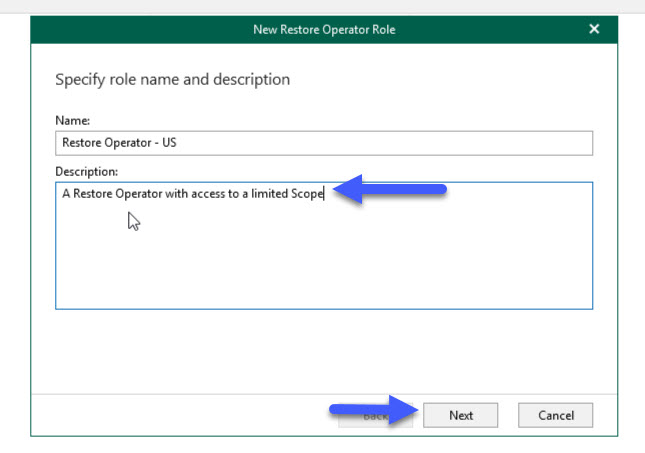
 Let’s introduce a name for this specific role, on my case I have selected for example Restore Operator US:
 We can be granular and create different roles, for different Organizations (you might guess that this will be perfect for VCSP):
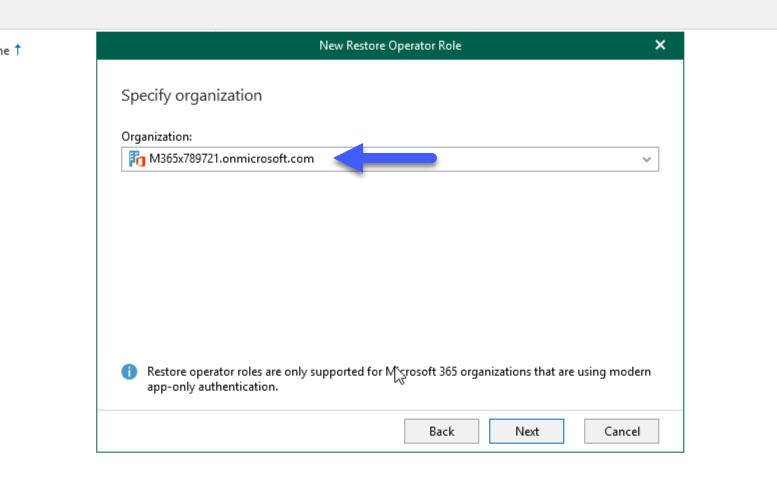 Then we will select the Operator, or Group of Restore Operators:
 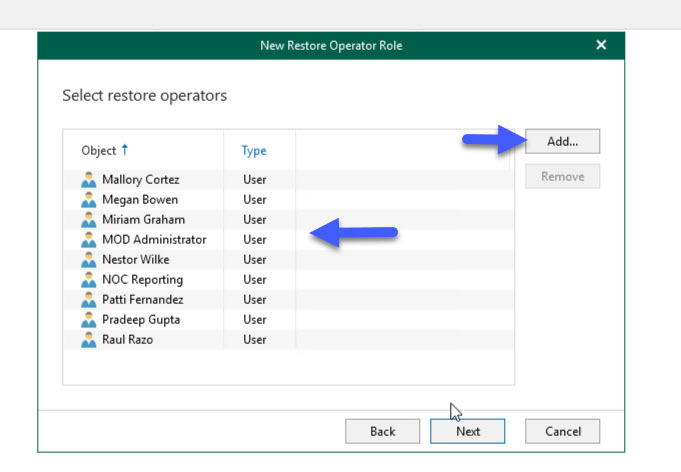 And give them the scope we require, a few SharePoint Sites, maybe some users, some groups, maybe some OneDrives, etc.
 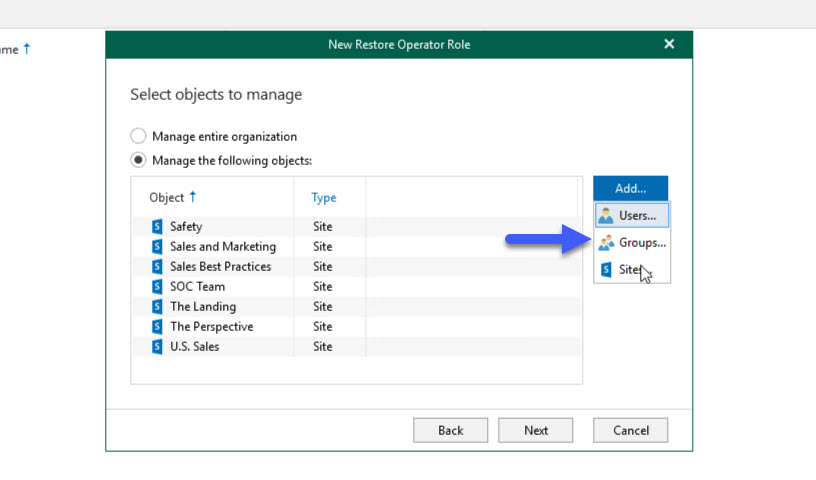 And that’s it, now we have a new Restore Operator Role created, we can create as many as we need. Once one of the Restore Operators login the Self-service portal, it will be available his/her own content, and the content that he/she has scope to restore as well.
NEW AWS S3 Glacier and Deep-Archive, Azure Archive Storage
As capacity keeps growing, and retention of data, especially for SaaS like Office 365 tends to be more and more years, Veeam Backup for Microsoft 365 offers the ability to aliviate that part a bit introducing Amazon S3 Glacier, and Azure Archive Storage.
 Here is the example of a new Object Storage Repository, in S3 Glacier, on the Advanced you can select if you want to use instead Glacier Deep-Archive: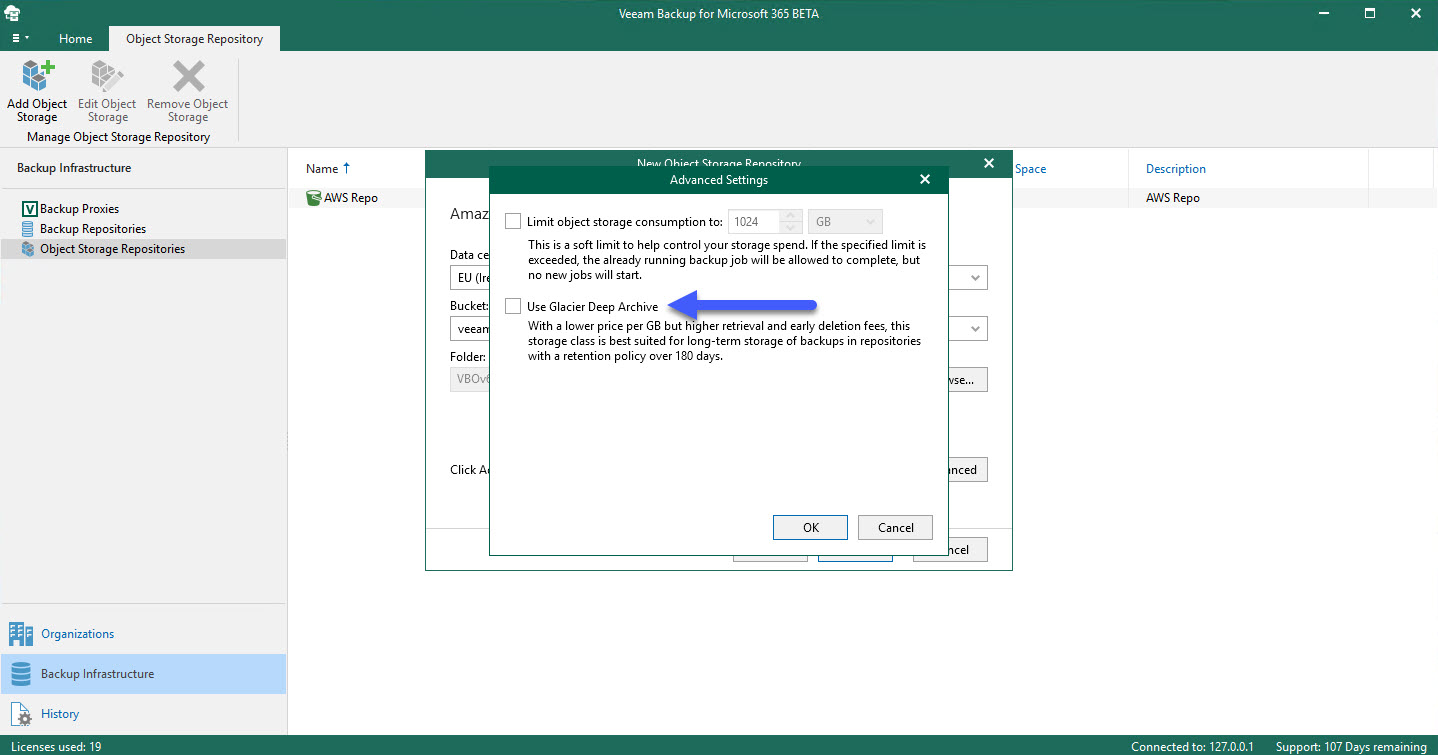
NEW Backup Copy Jobs
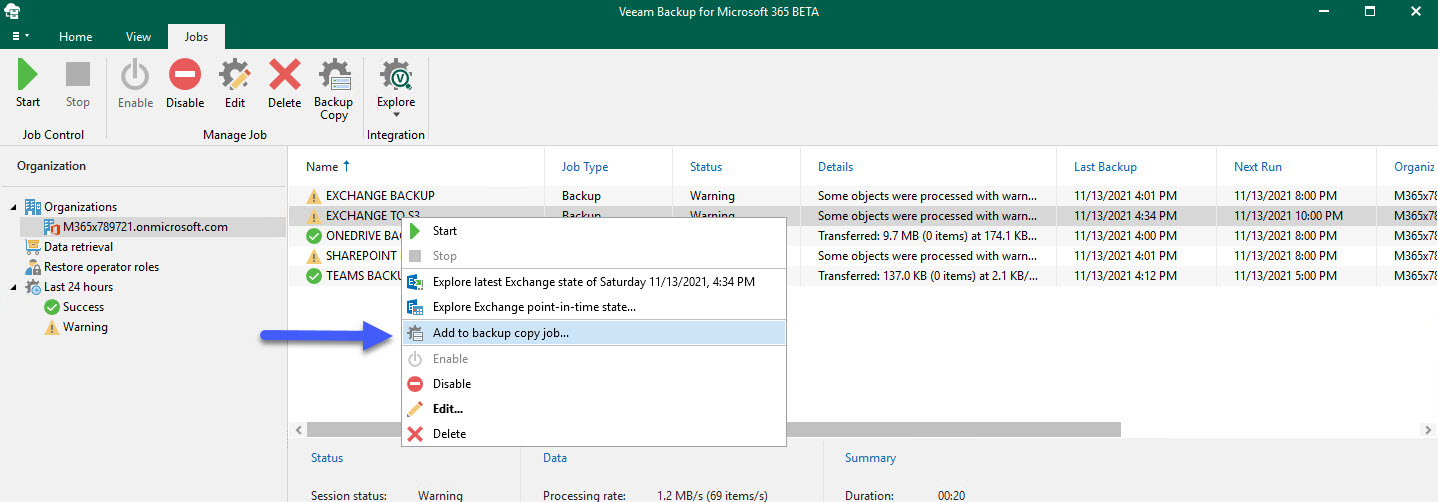
Tied to the previous functionality. Veeam Backup for Microsoft 365 offers the ability to have a Backup Copy Job, this only works on jobs that are on Object Storage, so the copy goes as well to object storage, on different tier to save money:
NEW Endpoints for the RESTful API
Taking a look under the hood, as in every new release, we can find new, and exciting, endpoints we can call in order to automate, visualize, or orchestrate operations related to Office 365 Data Protection. So far, what I think is new is:
The Auth endpoint now is at the top, as in other Veeam products, thank you! Apart from this, there is a new endpoint called AzureServiceAccounts, but I do not have anything configured to check what that does do:
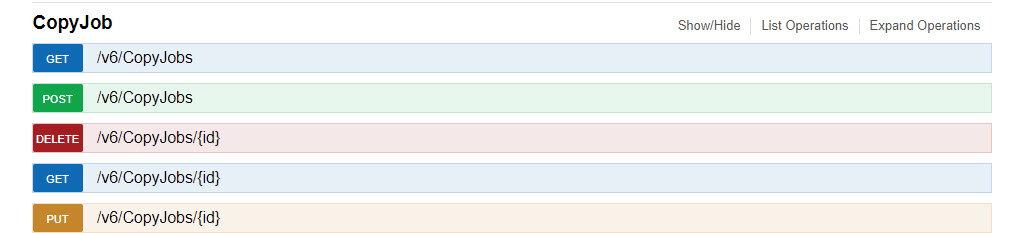
 We can see a new endpoint for the new CopyJob functionality, so really excited to see and explore more about this:
 Regarding Data Retrieval, when we will hit restore from Glacier or Azure Archive, there is a new endpoint for this:
 This is an interesting one, I think this endpoint is to help with the data copy from S3, to Glacier most likely:
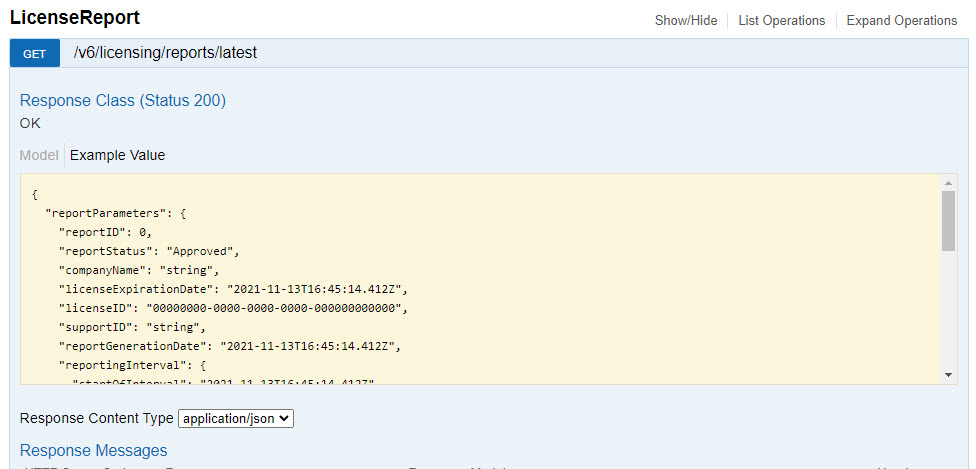
 LicenseReport which is aimed at Service Providers, I do not have a VCSP license so I can not see much:
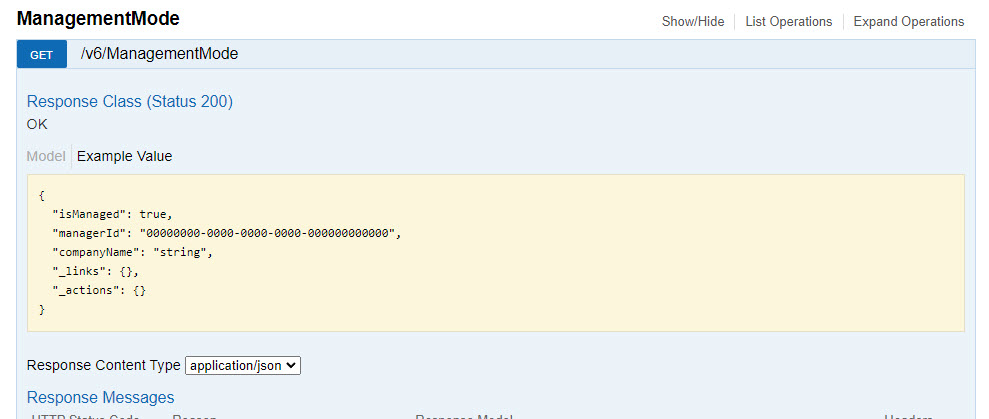
 More for Service Providers, knowing that the latest Veeam Service Provider Console version allows managing VBO, this endpoint will help with that:
 A curious name, mentioning RBAC, but as I am using Windows Authentication, I can not see many details about it:
 A few simple new endpoints, just to consume information, not many details as of yet in the beta:
 That is everything, hope it moves to public beta soon, RTM, and then GA as per usual, as I consider this release a very powerful one, with functionalities that will help organizations how they consume the Data Protection of Microsoft 365.
Amazing! Thanks for sharing!