
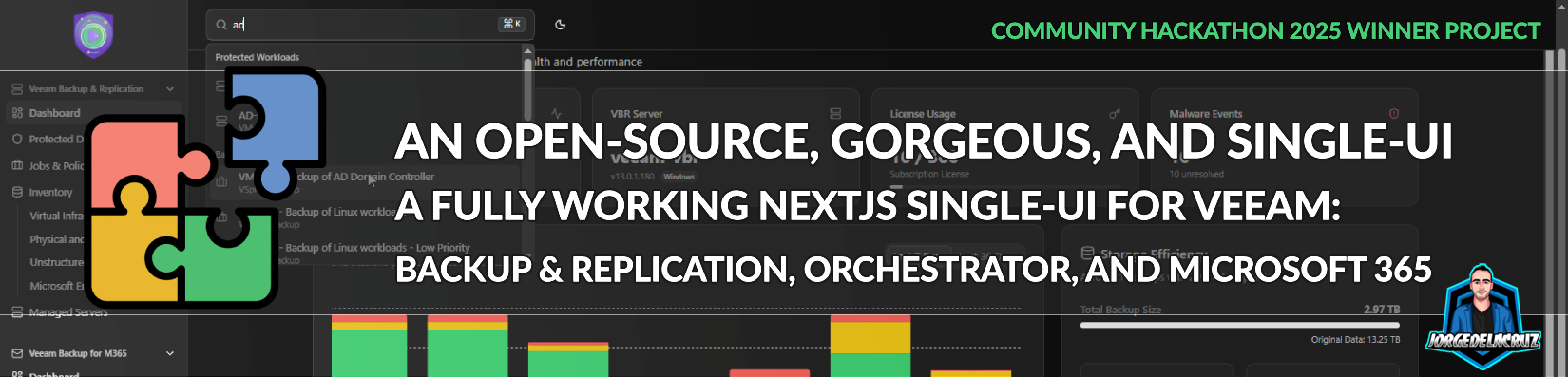
 Greetings friends, for years I have been writing about Veeam APIs. I have done many fun projects: Grafana Dashboards, HTML Reports, PowerShell Scripts, etc. This year, while participating at the third Veeam Community Hackathon, a new project (and a new opportunity) appeared. Why not to try to build an open-source, fresh, and open backup ui for multiple Veeam products?
Why an Open Backup UI?
Veeam is the leader in Data Protection, when utilising multiple solutions, like Veeam Backup & Replication, Veeam Recovery Orchestrator, Kasten, or Veeam Backup for Microsoft 365, currently the UIs are 100% focused on those backup operators interested on those particular workload, and whilst most of the times it fits just fine, on certain occasions a consolidation of products under a single umbrella could be beneficial.
To achieve this open backup ui experience, Veeam officially has two journeys:
- On-premises: If we are a large Enterprise, or a Service Provider, we can of course use the great Veeam Service Provider Console. Which not only groups many Veeam solutions under a single UI, but also the licensing becomes a breathe, totally recommended to explore, also this product is free of charge. Also if you are a Veeam Data Platform Advanced user, you have currently a really integrated solution that combines Veeam Backup & Replication, and Veeam ONE, so you can run Reports or see Dashboards within the VBR Console or WebUI.
- As-a-Service: If we are looking to consolidate multiple workloads, or tenants, for example some Veeam Backup for Salesforce, with 365 protection, Entra ID, etc. We can choose to explore Veeam Data Cloud. Which gives us as well a very nice single ui experience called OneUI.
This new project, Community-driven and totally open-source, it was not built with the intention to compete with any of those, but more as an experiment to see how far can someone go with current Veeam APIs.
Introducing Open Backup UI
This project has a concrete persona in mind, the Day 2 operations backup engineers managing the solution. I was happily impressed with the maturity of the APIs that Veeam offers, and super pumped of what it might come next. We were able to build a pretty comprehensive User Experience, with many, many great tiny little details that makes managing the product much easier. All thanks to the effort that Veeam has put on expanding, and enhancing all its products APIs.
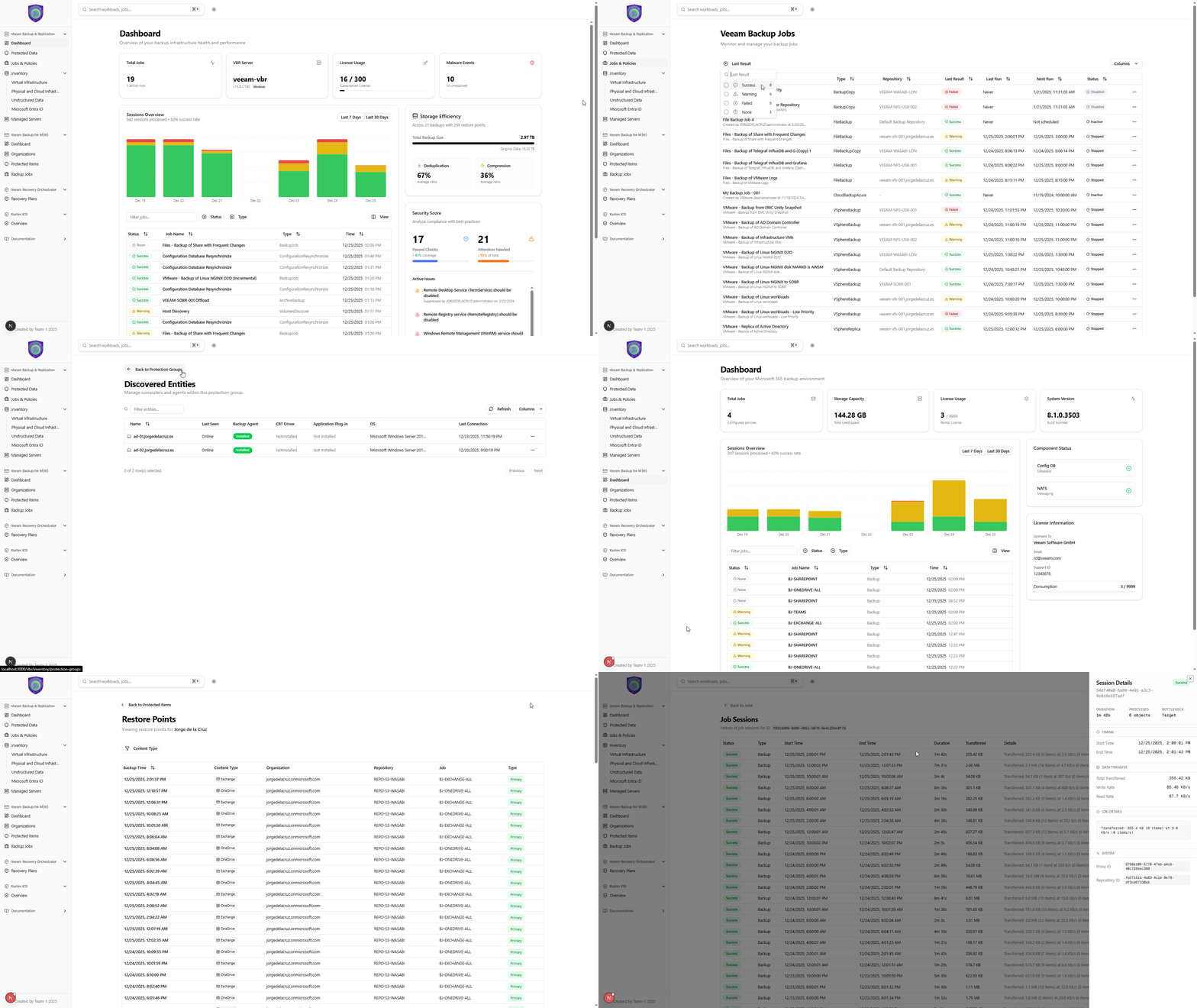
Tired of words? See it by yourself:
Features included
As I said, the project at the Hackathon was pretty rich in terms of functionality, but since then I have added a few more functionality using the spare time on the evenings/nights before going to bed, here is the full list of current functionality:
- Veeam Products Supported: Veeam Backup & Replication, Veeam Backup for Microsoft 365, Veeam Recovery Orchestrator, Kasten K10
- Veeam Backup & Replication: Dashboard, Protected Data, Jobs and Policies, Inventory, and Backup Infrastructure
- Veeam Backup for Microsoft 365: Dashboard, Organizations, Protected Items, and Backup Jobs
- Veeam Recovery Orchestrator: Recovery Plans
- Kasten K10: In the works for a quick overview
- General: Great filtering and UX, True Global Search, Dark Theme
Favourite features
As we were building this from scratch, we could be as creative as we wanted, the only limit was our imagination and our north-star was the Day 2 Operations as mentioned. As I was coding some of this, I took the opportunity to do stuff like the following.
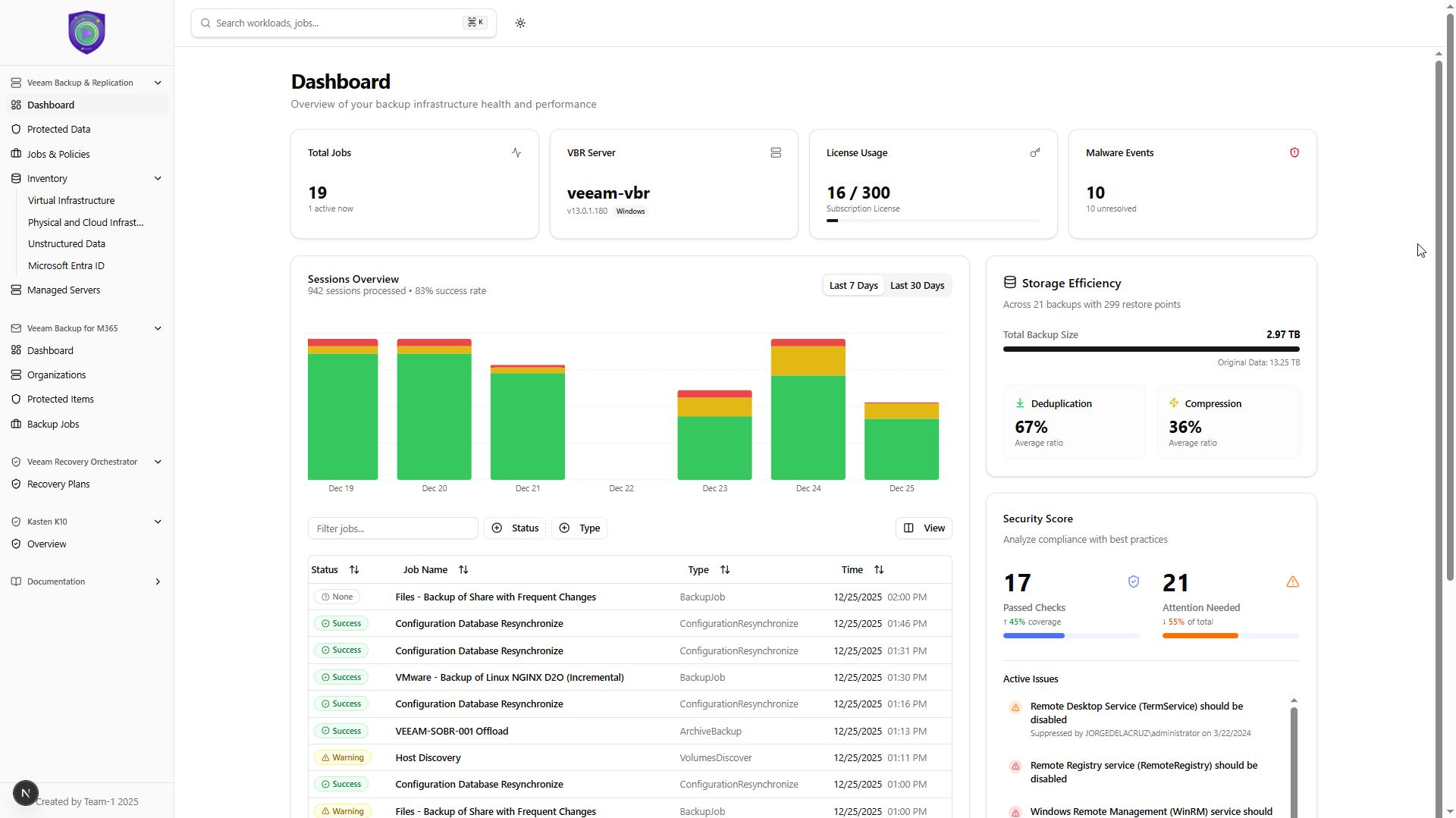
Veeam Backup & Replication Dashboard
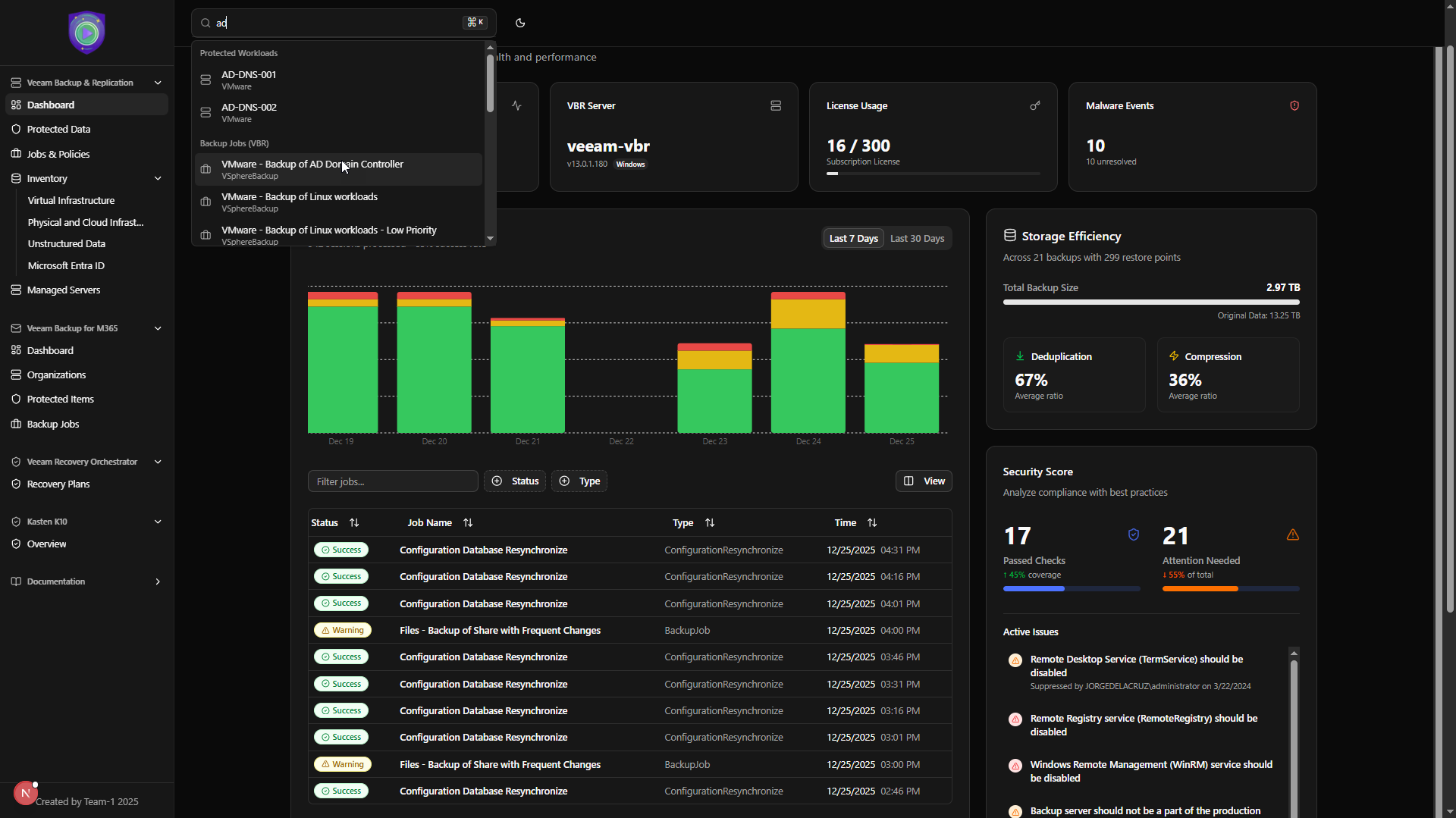
- License Usage: An absolute gem, and truly important in my opinion to see how good we are doing in terms of license usage. Perhaps there is something we need to remove, etc. Better see this daily than receive an email with not enough licenses.
- Storage Efficiency: For more than a decade I have been trying to be able to answer quickly to the questions; “How many Backups and Restore Points I have?”, “What is my total consumed Repository space?” So this is possible now, also showing how was the raw data before Veeam did its magic with De-duplication and Compression, pretty wow.
Veeam Backup & Replication Protected Data
Now that I could see the total space, and restore points clearly. As a Day 2 Operations Protection Engineer, I would like to clearly see all my protected workloads, and the number of Restore Points, this is of course across Jobs and Backup Repositories. This is a fresh breathe vs current experience of needing to dig inside a job policy to see the restore points of the workload.
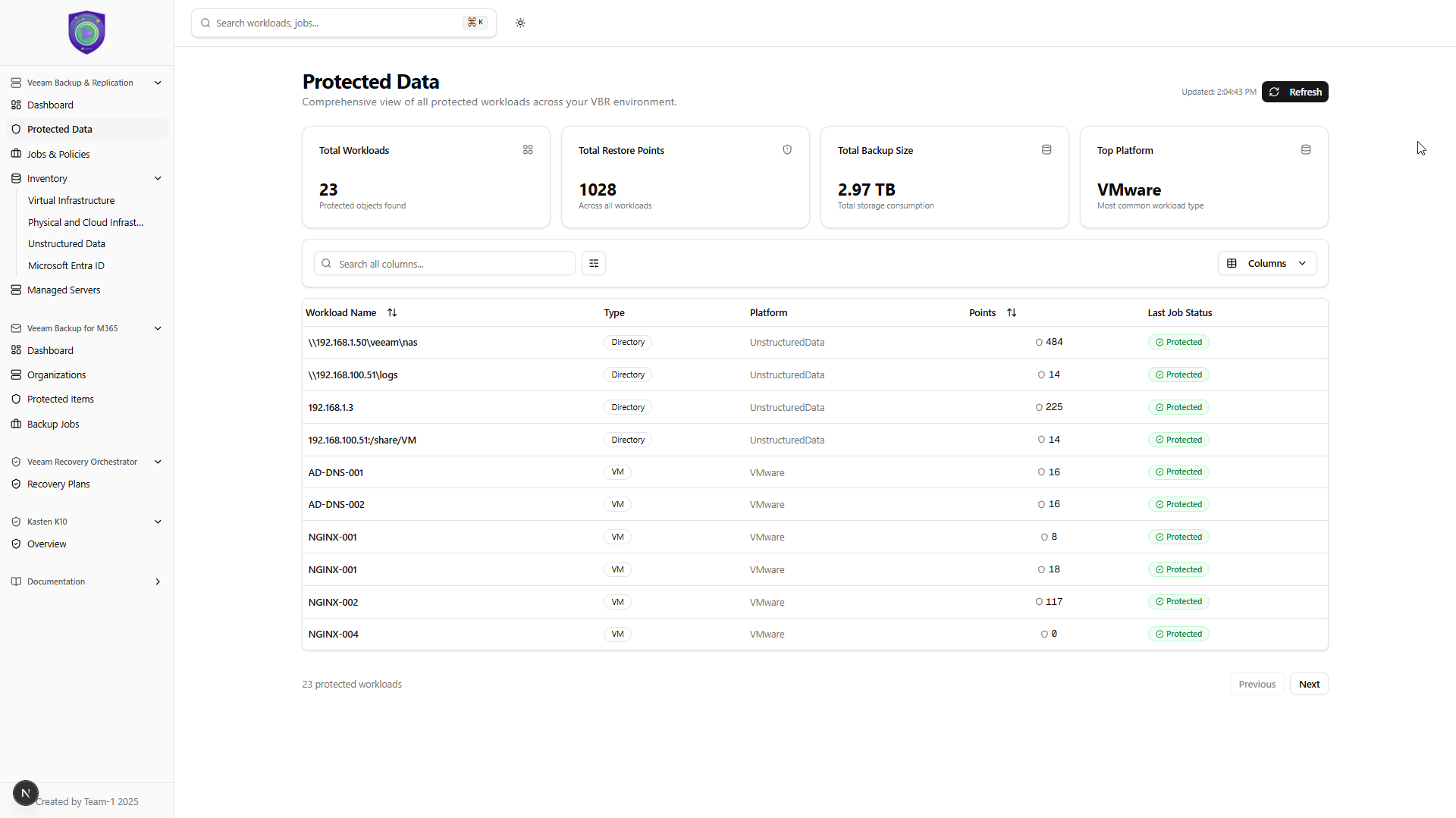 This view is pure gold, seeing the summary, per workload, of all the total space consumed and restore points details across all jobs, and repositories.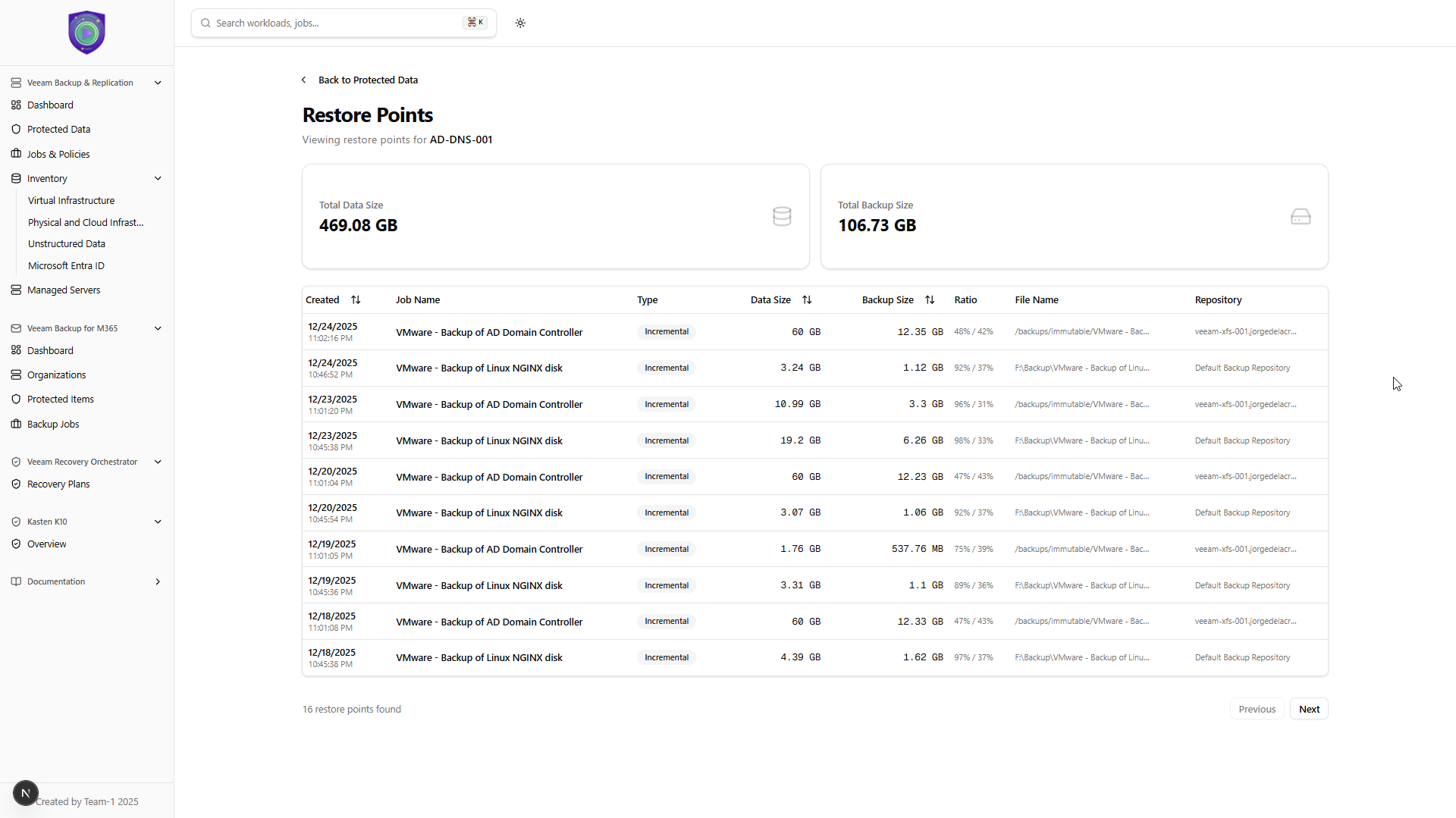
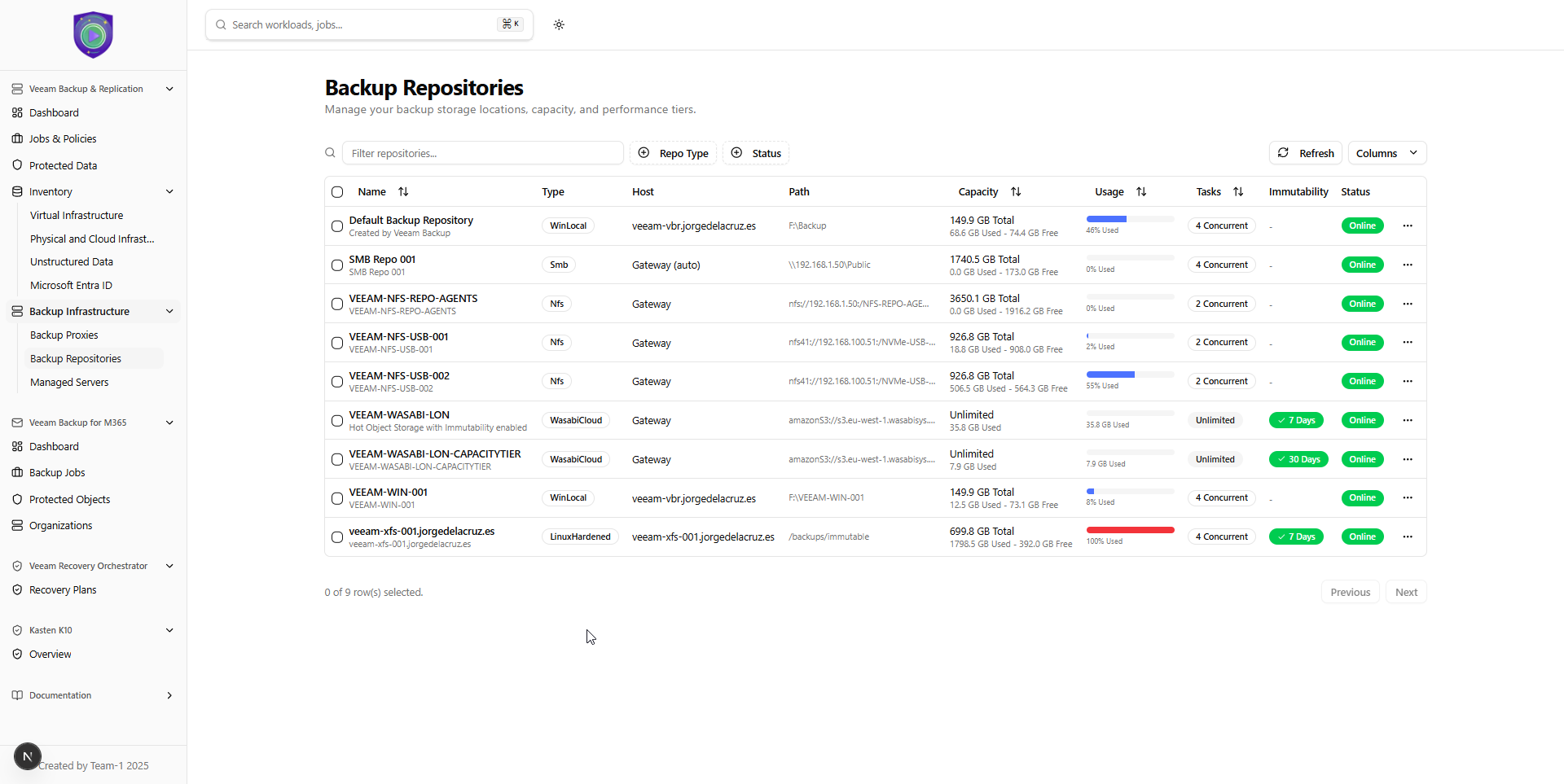
Veeam Backup & Replication – Backup Infrastructure – Backup Repositories
An absolute gem, in my opinion. The ability to seeing the repositories with all the required information, like Immutability, consumed, free, and total space, at your fingertips, no additional clicks required:
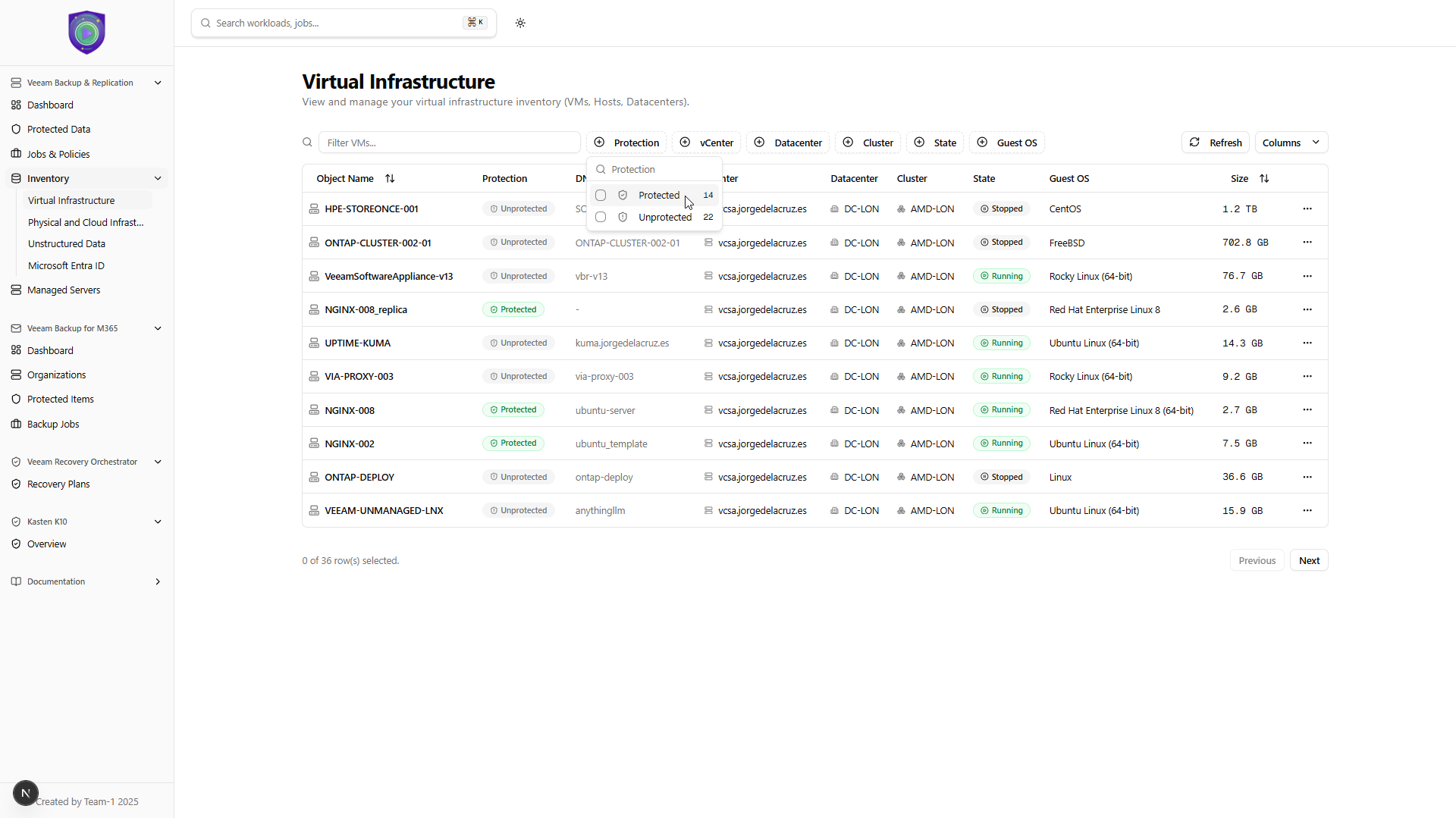
Veeam Backup & Replication – Inventory – Virtual Infrastructure
This is not new per-se, as it is currently available in the Veeam thick client, but what it is new it is of course to see it under a single view, with this outstanding filtering so you can quickly see how many protected VMs from the whole vCenter you have, hide the powered-off ones, etc.
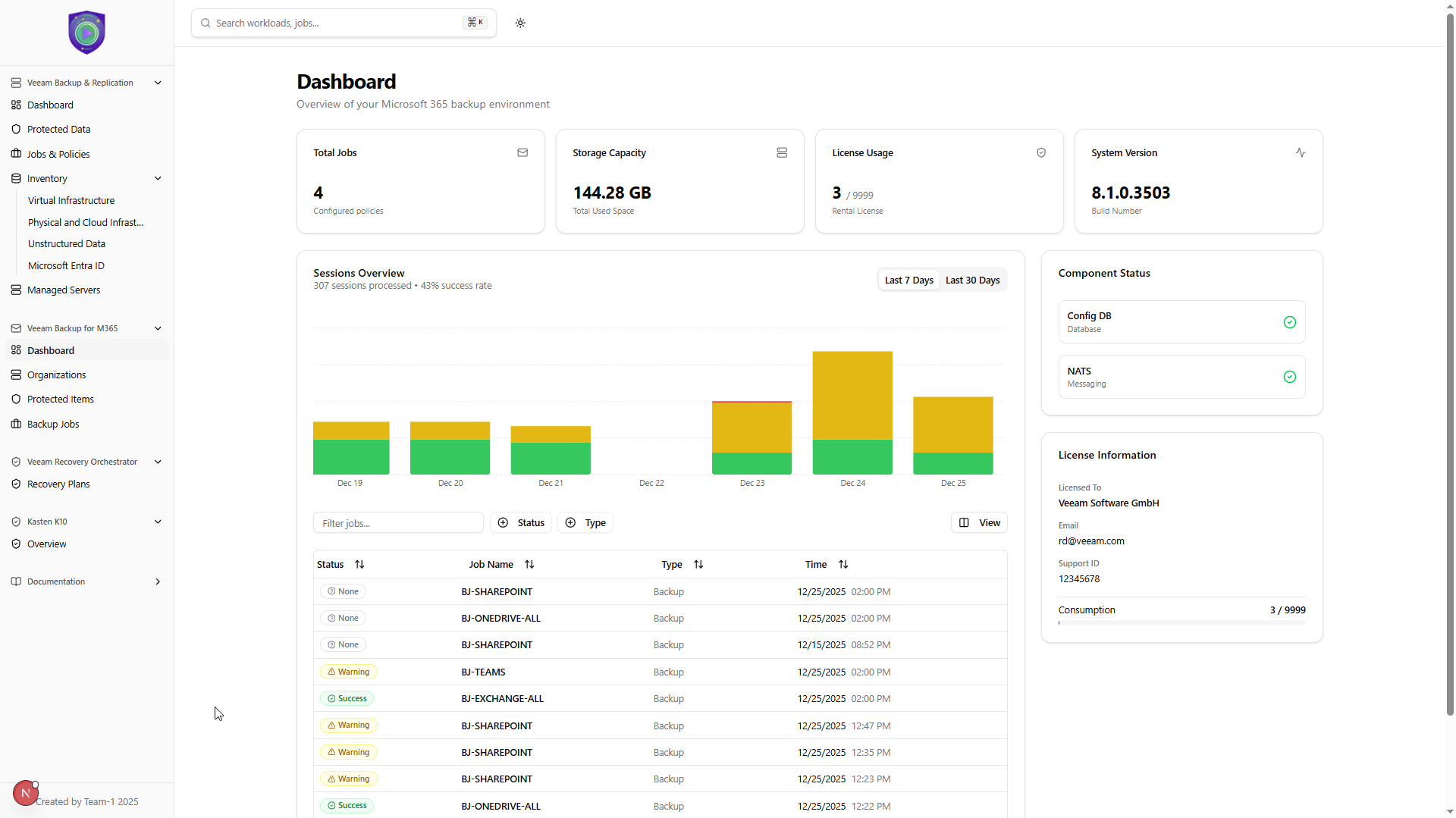
Veeam Backup for Microsoft 365 – Dashboard
Similar to the Veeam Backup & Replication Dashboard, I truly like the ability to see the license consumption right away, plus seeing the total backup size. That and seeing a historical overview right there is nice.
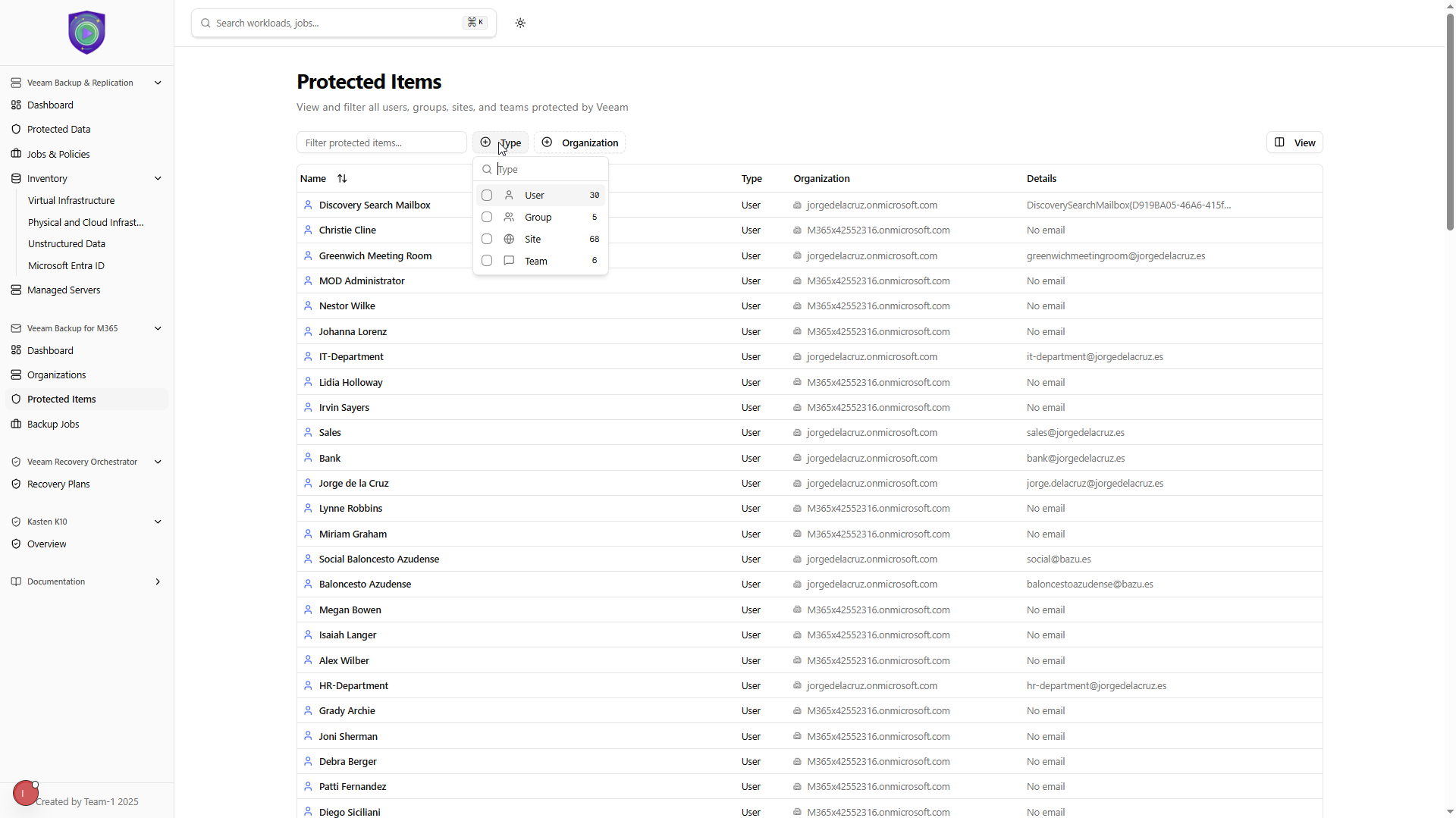
Veeam Backup for Microsoft 365 – Protected Items
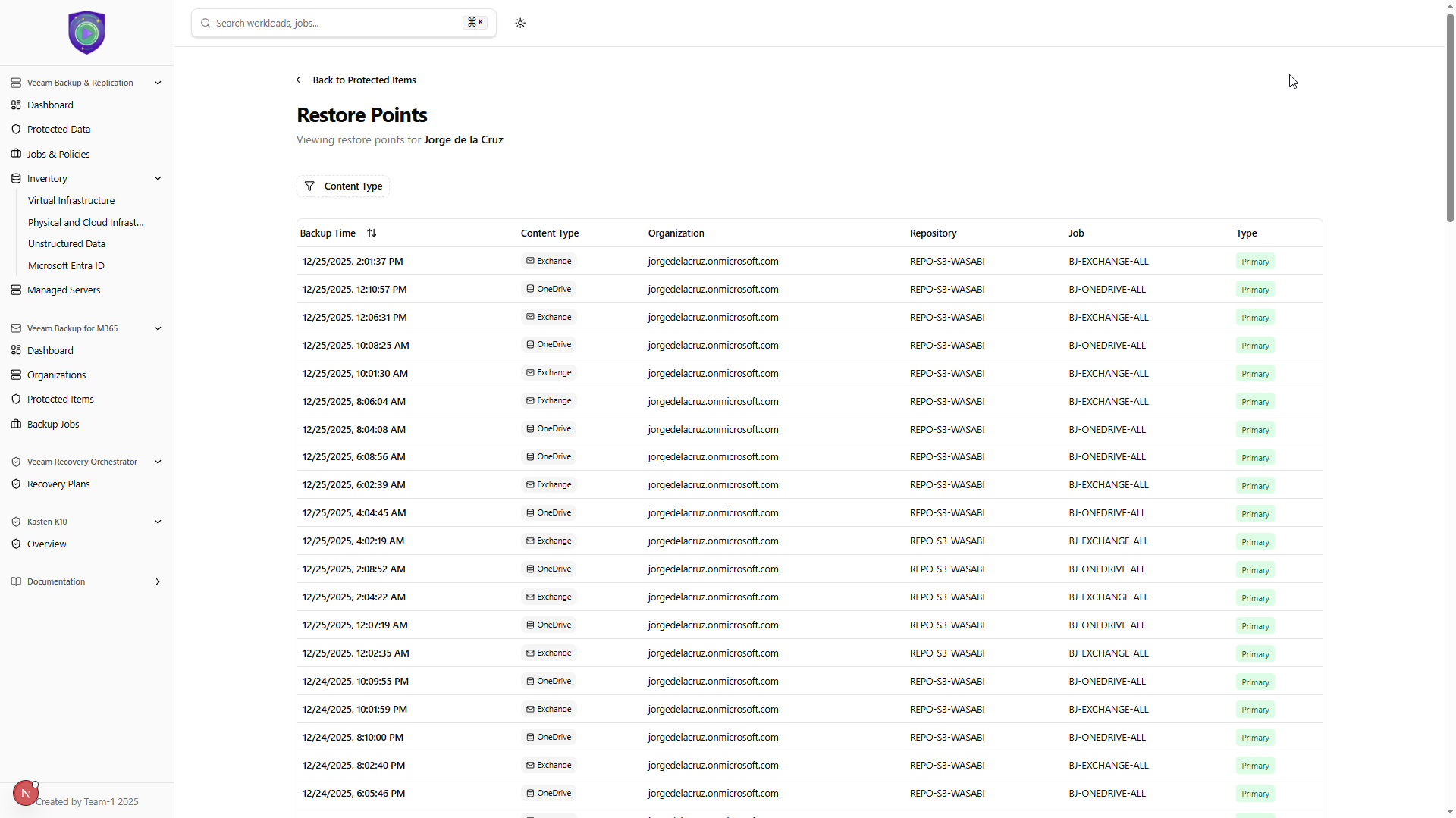
Now, seeing the list of protected items, with a search in the grid, and filtering options that quickly shows me how many items are in every type it is next-level experience. And if that it is not enough, I can quickly click on any item and see all the restore points details and date, at my fingertips:
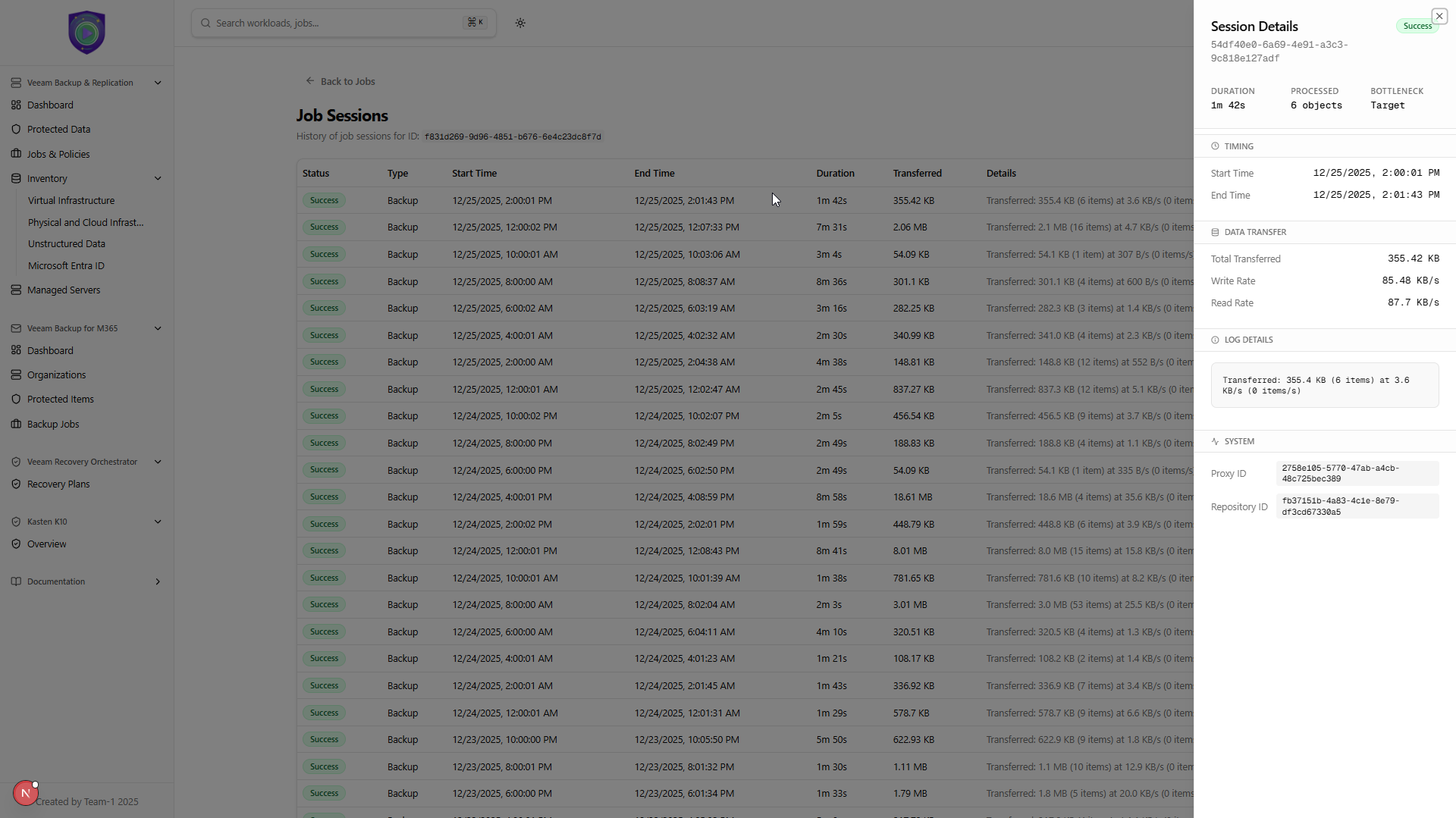
Veeam Backup for Microsoft 365 – Job Sessions – Details
Seeing the Job list with current state it is great, I really like that you can click in the job and quickly see all the sessions, and even more, click on specific session to see the details, really pleasant experience, simple yet powerful:
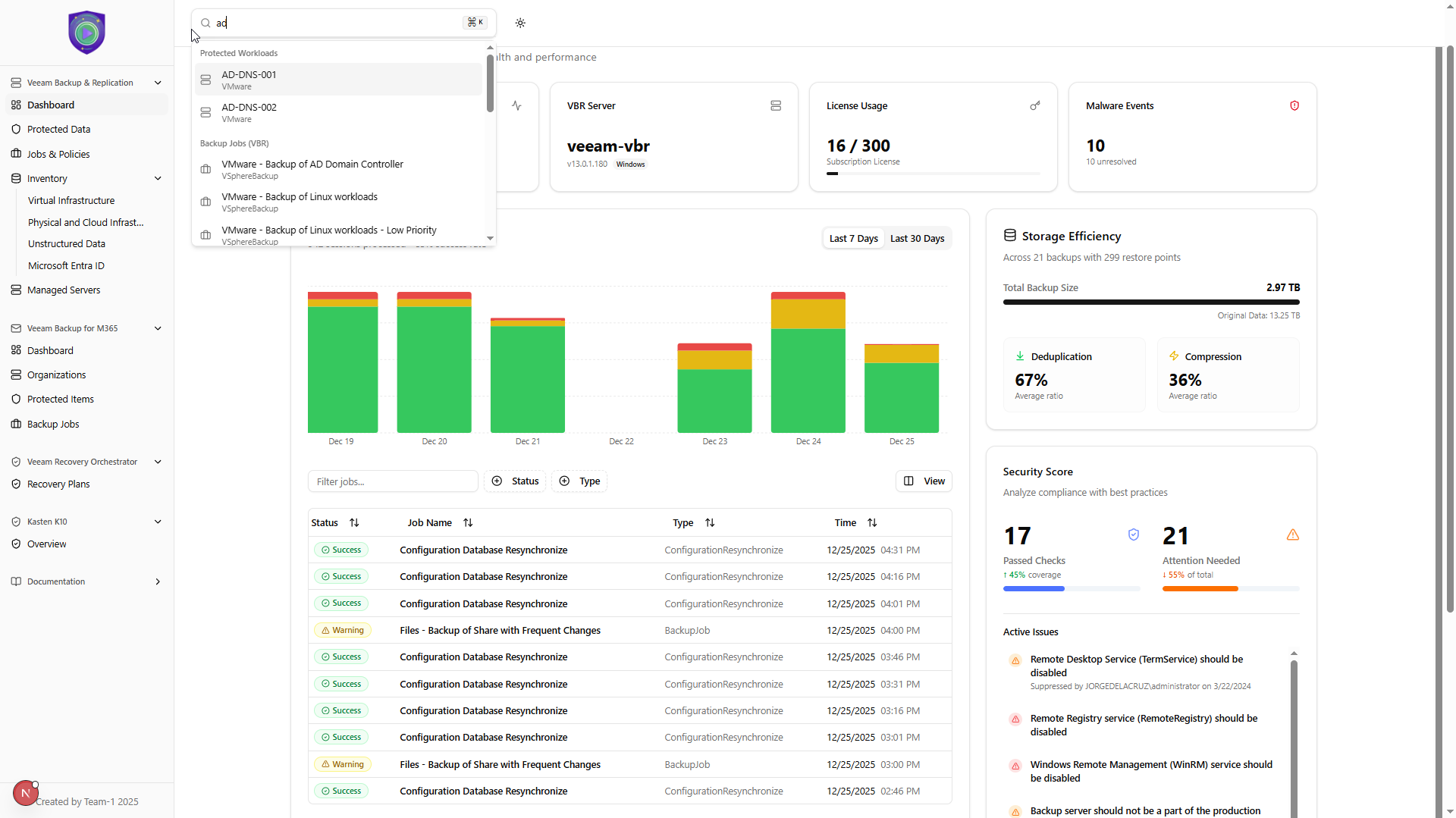
General – True Global Search
When dealing with Day 2 operations, on a true large environment. Or even on medium one, we might not know all the users, SharePoint Sites, VM Names, NAS or SMB directory we are protecting, etc. That is why this is my top-notch, million dollar feature. From anywhere in the UI, just go to the global search, type whatever (like me; just AD), and see the protected items, jobs, etc. Across Veeam Backup & Replication and Veeam Backup for Microsoft 365. It is clickable of course, so if you click on the workload or object, it takes you to the mentioned views, same for Jobs.
General – Dark Theme
As we were using shadcn for the whole project, dark theme comes pretty much for free, but in any case, here you can see how does it look like in dark theme, pleasant if you ask me.
I am sold, how can I run all of this?
First and foremost, this is a Community project, I do not recommend to run it on large infrastructures, and always try it on staging or trial environments. Yes, it only uses supported APIs that it can be query with swagger, etc. But perhaps a few of the queries could be too heavy for a few environments, last thing we need is to put something that loads the servers. Use it at your own risk, as anything you download from GitHub.
Second of all, the project itself doesn’t have any DB, it is all stateless making API calls on the fly, so I would recommend to deploy this close to the servers so the latency is minimal, still as we use .env for the credentials, etc. Make sure everything it is secure, etc.
- For the latest version, that includes: Inventory, Global Search, Redefined Protected Data, and more: https://github.com/jorgedlcruz/open-backup-ui
- For the Hackathon project, you can take a look at the code here: https://github.com/VeeamCommunity/veeamcommunity-2025-Team-1/
What’s next?
There are more APIs I would like to explore, like allowing to trigger some available restore operations directly from this UI, and perhaps include Veeam ONE, more general settings, etc. Also if instead of using the .env we can transition to some more secure way of auth, that would be ideal.
I am pretty sure that perhaps some APIs are not showing all job types, or elements, and that perhaps there are bugs on some calculations, etc. At the end of the day,, this was done in just a few nights and evenings with spare time, so if you find anything, please share it here, or on the Github Project itself.
I hope you enjoy this read, this project, and the idea behind it. It was build by the Veeam Community to the Veeam Community.
Hey Jorge,
Are you going to do a similar post to your Grafana stuff for this one on how to go about installing it? I would love to test it.
Regards,
Chris Childerhose